

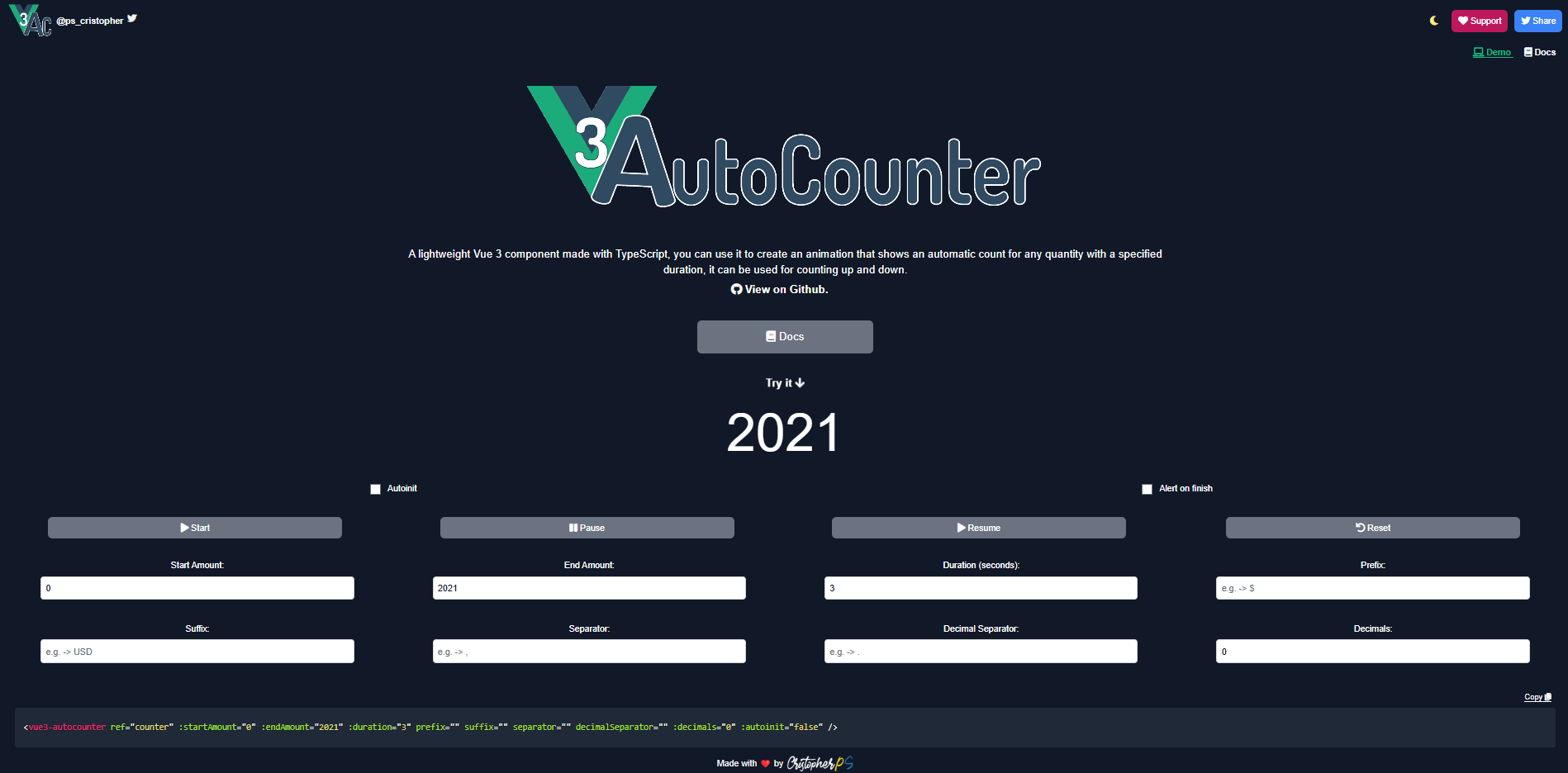
What is vue3-autocounter?
vue3-autocounter is an open-source Vue 3 component, published as an npm package, that animates a number from a start value to an end value over a set duration. I built it as a small, reusable way to show statistics, metrics and prices that "count up" when a page loads, without pulling in a large animation library.
It has been downloaded more than 176,000 times from npm and has 82 stars on GitHub. Both of those numbers are animated by the component itself.
Key features:
- Counts up or down. The direction comes from comparing
startAmountandendAmount. - Configurable duration in seconds.
- Formatting: decimals, thousands separator, decimal separator, prefix and suffix (for example
$1,250.00 USD). - Control methods:
start,pause,resumeandreset, available through a template ref. - Lifecycle events:
mountedandfinished. - Written in TypeScript, with an SSR-compatible build.
How do you install vue3-autocounter?
Install it from npm:
npm install vue3-autocounter
Register it globally
Add it to your main.js (or main.ts) to make it available in every component:
import { createApp } from 'vue'
import Vue3Autocounter from 'vue3-autocounter'
import App from './App.vue'

createApp(App)
  .component('vue3-autocounter', Vue3Autocounter)
  .mount('#app')
Or import it in a single file component
<script setup>
import Vue3Autocounter from 'vue3-autocounter'
</script>

<template>
  <Vue3Autocounter :startAmount="0" :endAmount="2021" :duration="3" />
</template>
How do you use it?
A complete example with formatting and an event listener:
<template>
  <vue3-autocounter
    ref="counter"
    :startAmount="0"
    :endAmount="2021"
    :duration="3"
    prefix="$"
    suffix=" USD"
    separator=","
    decimalSeparator="."
    :decimals="2"
    :autoinit="true"
    @finished="onFinished"
  />
</template>
This renders $2,021.00 USD once the 3-second animation finishes.
Which props does vue3-autocounter support?
| Prop | Type | Default | Description |
|---|---|---|---|
startAmount | Number | 0 | Value the animation starts from. |
endAmount | Number | 0 (required) | Value the animation ends at. |
duration | Number | 3 | Animation length in seconds. Must be greater than 0. |
autoinit | Boolean | true | Start counting automatically on mount. |
prefix | String | '' | Text shown before the number, e.g. $. |
suffix | String | '' | Text shown after the number, e.g. USD. |
separator | String | ',' | Thousands separator. |
decimalSeparator | String | '.' | Decimal separator. |
decimals | Number | 0 | Number of decimal places. Must be 0 or greater. |
Changing startAmount, endAmount or duration after mount resets the animation and runs it again with the new values. This makes it easy to animate numbers that come from an API.
How do you control the animation?
Use a template ref to call the component's methods:
<script setup>
import { ref } from 'vue'

const counter = ref(null)
</script>

<template>
  <vue3-autocounter ref="counter" :endAmount="1000" :autoinit="false" />

  <button @click="counter.start()">Start</button>
  <button @click="counter.pause()">Pause</button>
  <button @click="counter.resume()">Resume</button>
  <button @click="counter.reset()">Reset</button>
</template>
| Method | What it does |
|---|---|
start() | Starts the animation from startAmount. |
pause() | Pauses the animation and keeps the current value. |
resume() | Continues from the current value for the remaining time. |
reset() | Goes back to startAmount. It restarts if autoinit is true. |
| Event | When it fires |
|---|---|
mounted | The component has mounted and is ready. |
finished | The counter has reached endAmount. |
How does it work under the hood?
The component uses window.requestAnimationFrame instead of setInterval. Each frame, it calculates how much of the duration has passed and moves the current value forward by that proportion. This keeps the animation smooth and in sync with the browser's repaint cycle, and the browser pauses it automatically in background tabs.
Formatting runs in a computed property. The number goes through toFixed(decimals), gets split into integer and decimal parts, and the thousands separator is inserted with a regular expression. Because it is computed, the displayed string only recalculates when the value changes.
Pausing stores the remaining time and the current value. resume() then starts a new animation from that point, so pause and resume never make the counter jump.
Using it with Nuxt
The package ships an SSR build, so it works in Nuxt out of the box. Import it in a page or component and the server renders it; the counting starts once the page hydrates in the browser. This site, built with Nuxt, uses vue3-autocounter for the download and star counts above.