

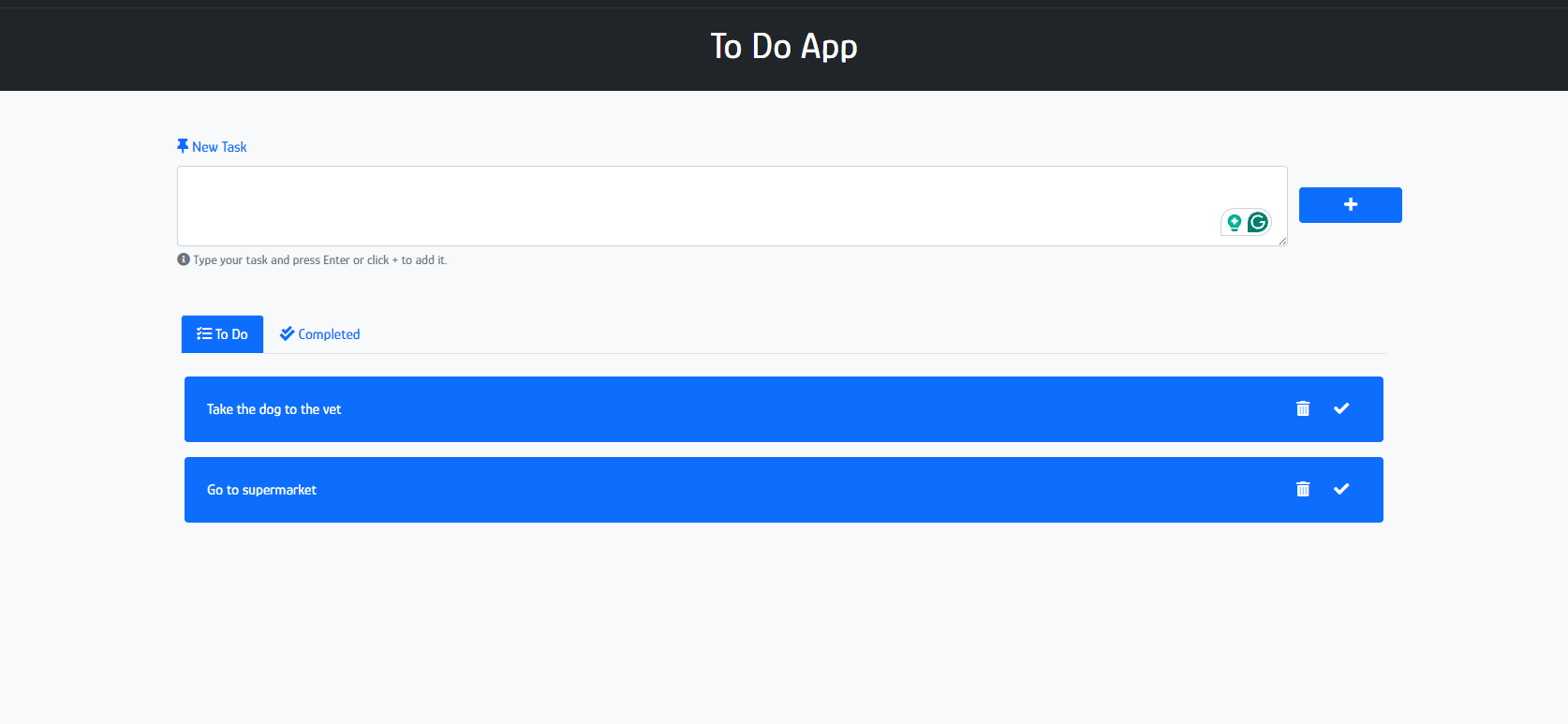
What does the app do?
It's a small task manager built with Vue 3 and the Composition API. You can:
- Create tasks.
- Complete a task, which moves it from To-Do to Done.
- Restore a completed task back to To-Do.
- Delete a task.
- Switch between To-Do and Done with a reactive tab interface.
Tasks are stored in the browser's localStorage, so they are still there after a reload. Destructive or status-changing actions show a confirmation first, so a misclick doesn't lose your work.
How is the state modeled?
All the state hangs off one reactive array. Each task is a plain object with a unique id, a title and a done flag. The tab views are derived from that array with computed instead of being stored separately:
import { ref, computed } from 'vue'

const tasks = ref([])
const activeTab = ref('todo')

const todoTasks = computed(() => tasks.value.filter(task => !task.done))
const doneTasks = computed(() => tasks.value.filter(task => task.done))

const visibleTasks = computed(() =>
  activeTab.value === 'todo' ? todoTasks.value : doneTasks.value
)
Simplified for this article. See the CodePen for the exact implementation.
Keeping one source of truth and computing the views from it means the lists can't drift out of sync. Completing a task only flips one flag, and both tabs update automatically.
Why give each task a UUID?
Using the array index as an identifier breaks as soon as items are deleted or reordered. Giving each task a UUID when it is created provides:
- a stable
:keyforv-for, so Vue updates the DOM correctly, - a reliable way to find the task to complete, restore or delete.
const addTask = (title) => {
  tasks.value.push({ id: uuid(), title, done: false })
}

const toggleTask = (id) => {
  const task = tasks.value.find(task => task.id === id)
  if (task) task.done = !task.done
}

const removeTask = (id) => {
  tasks.value = tasks.value.filter(task => task.id !== id)
}
How does persistence with localStorage work?
localStorage only stores strings, so the task list is serialized with JSON.stringify when it is saved and parsed back with JSON.parse when it is loaded. Loading happens in onMounted, once the app is running in the browser:
import { onMounted } from 'vue'

const STORAGE_KEY = 'tasks'

const saveTasks = () => {
  localStorage.setItem(STORAGE_KEY, JSON.stringify(tasks.value))
}

onMounted(() => {
  const saved = localStorage.getItem(STORAGE_KEY)
  if (saved) tasks.value = JSON.parse(saved)
})
Saving after every change keeps localStorage and the UI in sync, with no backend at all.
Why confirm destructive actions?
Deleting a task or changing its status are the two actions a user is most likely to regret. Asking for confirmation before running them is cheap and saves frustration, and it's a habit worth keeping in larger apps.
What frontend concepts does it demonstrate?
Small as it is, the project covers concepts that come up in any production Vue app:
- Reactive state with
ref. - Derived state with
computed, using one source of truth. - Lifecycle hooks (
onMounted) for browser-only work. - Client-side persistence with the Web Storage API.
- Stable identity for list items using UUIDs.
- Event-driven UI with confirmation flows.